 Jovela
Wedding guide
How to make a digital wedding invitation step by step
A digital wedding invitation is one link your guests open on their phone: the date, the venue with a map, your story, the day’s programme and a one-tap RSVP. Here is how to make one that looks as good as paper, and gets more replies.
What a digital wedding invitation is (and isn’t)
There are three kinds of “digital” invitations, and they don’t do the same job:
| Type | What guests get | Good for |
|---|---|---|
| An image or PDF | A picture of a paper card, sent in a chat | A quick announcement. No RSVP, no map, and it can’t be updated. |
| A wedding website | Several pages to browse | Lots of information, but guests rarely read it all on a phone. |
| An invitation link (animated) | One page that opens like a surprise, with every detail and the RSVP | Getting guests to open it, remember it and reply. |
This guide is about the third kind: one link that does the work of the card, the RSVP card, the map and the website together.
Gather what goes on it
Before you design anything, write down the details. Guests should never have to ask you a question the invitation could have answered.
- Your names, written the way you want them printed (first names only, or full names).
- Who is hosting, if your parents are (it changes the first line of the wording).
- Date and time, with the time zone if guests travel.
- Ceremony and reception venues, with an address a map app can find.
- The day’s programme: ceremony, reception, dinner, first dance, party.
- Dress code, in plain words (“formal, no white please” beats “black tie optional”).
- RSVP deadline and what you need to know: attending, number of guests, dietary needs.
- Practical answers: parking, children, gift list, accommodation for out-of-town guests.
- A photo of the two of you, if you want one on it.
Make it in 6 steps
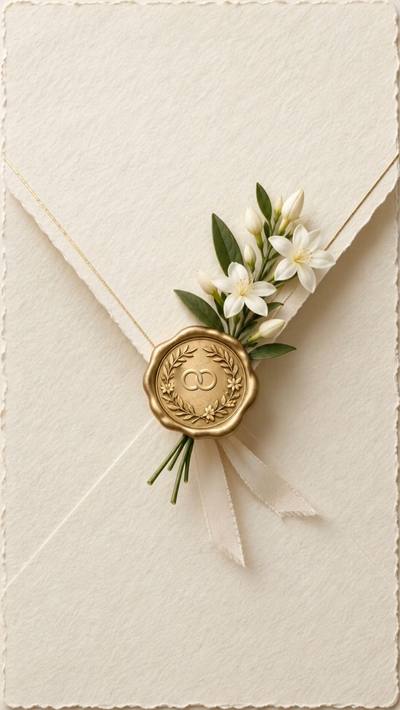
- Choose a design that feels like your wedding. Garden, black-tie, beach, fairytale, minimal: the opening sets the mood before guests read a word. On Jovela every design opens with its own short film (gates, an envelope with a wax seal, a storybook) and its own music.
- Write your names, date and venue. Start with the essentials; you can refine the wording later. Try it with your names first: seeing your own names on it makes the choice easy.
- Add your photo. A photo makes guests stop scrolling. Jovela can turn it into a hand-drawn portrait in the design’s style, which guests unveil with a gesture (lifting a veil, breaking the seal).
- Fill in the programme, dress code and questions. Short lines read best on a phone. Put the answers to the questions you would otherwise get by message (parking, children, gifts).
- Preview it on your own phone. Open it as a guest would, with the sound on. Check the map opens the right place and the RSVP works. Send it to one friend first.
- Publish and send the link. Send it by WhatsApp, text or email, ideally with a short personal message (ideas below). Replies arrive live in your space, so you know who is coming without chasing anyone.
The wording, in a nutshell
The classic order works on a screen too: who invites → the invitation line → your names → date and time → place → the reception → RSVP. Keep each line short. A few examples:
Together with their families
Emma Johnson & Liam Carter
request the pleasure of your company
at the celebration of their marriage
We’re getting married!
Come celebrate with us,
then eat, laugh and dance all night.
Mr. and Mrs. David Johnson
invite you to the wedding of their daughter
Emma
to
Liam Carter
When to send it
| What | When |
|---|---|
| Save the date | 6 to 12 months before (8 to 12 for a destination wedding) |
| The invitation | 6 to 8 weeks before (about 3 months for a destination wedding) |
| RSVP deadline | 3 to 4 weeks before the wedding, so the caterer has numbers |
| A gentle reminder | A week before the RSVP deadline, only to those who haven’t replied |
A link you can update is the big advantage here: if the time or the venue changes, you change it once and every guest sees the new details.
How to send it so guests actually open it
- Send it personally, one chat at a time or in small groups, rather than one huge group.
- Add one warm line before the link: “We’d love you to be there. Here is our invitation, open it with the sound on 💛”.
- Send older relatives a call too. Some will want to hear it from you; the link then holds every detail.
- Choose a good moment: early evening or the weekend, when people have a minute to open it properly.
More on this in our guide to digital invitation etiquette, and many more lines in wedding invitation wording.
See it on a real invitation



Questions
Is it OK to send wedding invitations digitally?
Yes, and it has become common. What matters is that it feels personal: a beautiful design, your own wording and a short message to each guest. For the few relatives who prefer paper, you can print a card or call them.
Do guests need an app to open it?
No. A digital invitation link opens in any phone’s browser. With Jovela there is nothing to install and no account to create for guests.
How do guests RSVP?
In one tap on the invitation: attending or not, how many people, dietary needs and a message. Every reply arrives in your space as it comes in.
How much does a digital wedding invitation cost?
On Jovela it is free to design and preview, then $29 once when you publish it (€29 in Europe), with unlimited guests and no subscription.
Can I change the invitation after sending it?
Yes. The link stays the same; guests see the new details the next time they open it.